connect merge
Click to Play
About This Game
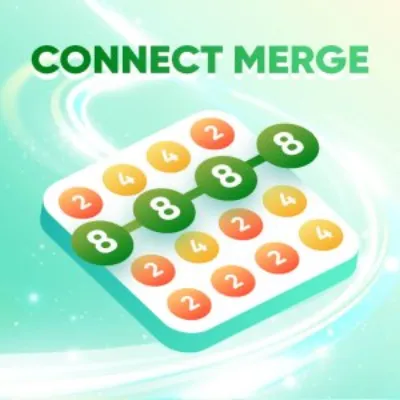
Connect Merge is a captivating number puzzle game where you draw lines to connect identical numbers and merge them into higher values. Starting with small digits scattered across a grid, your goal is to strategically link matching numbers to create increasingly larger values and clear the board. Each successful merge produces a new number that opens fresh connection possibilities, creating satisfying chain reactions. The minimalist design keeps your focus on pure logical thinking, while the escalating difficulty ensures every level presents a genuine mental challenge. Whether you have five minutes or an hour, this free browser game delivers an endlessly rewarding number-connecting experience.
How to Play connect merge
The game board displays a grid filled with numbered tiles. To play, click or tap on a number and drag a line to connect it with an adjacent tile showing the same number. When two matching numbers are connected, they merge into a single tile with a higher value. For example, connecting two 2s produces a 4, and connecting two 4s produces an 8. You can only draw connections between tiles that share an edge — diagonal links are not allowed. The merged tile appears at the endpoint of your connection line. Plan your merges carefully because the position of the resulting tile matters enormously. Placing high-value tiles in corners or along edges helps keep the center of the board open for future connections. As you progress through levels, the grid fills with more numbers and the target values become harder to reach. Some levels introduce obstacles like locked tiles that cannot be moved until specific conditions are met. Pay attention to the number distribution before making your first move — identifying clusters of identical numbers helps you plan efficient merge chains. When the board gets crowded, look for opportunities to create chain merges where one merge immediately sets up the next. The key to mastering Connect Merge is thinking several moves ahead and resisting the temptation to make the first available connection. Strategic patience consistently outperforms rushed play, especially in the later stages where a single poorly placed merge can block critical pathways.
Highlights
- Intuitive draw-to-connect mechanics for seamless number merging
- Hundreds of handcrafted levels with increasing complexity
- Chain merge system rewarding strategic multi-step planning
- Clean minimalist visuals that keep focus on the puzzle
- No download needed — play free in any modern browser
- Progress tracking that saves your advancement automatically
Tips & Tricks for connect merge
- Start merging from the edges to keep the center open for larger combinations
- Plan two or three moves ahead before making any connection
- Focus on building one high-value tile rather than spreading merges across the board
- Look for chain merge opportunities where one connection sets up the next
- When stuck, scan the entire board for overlooked matching pairs before giving up
FAQ
- How do I merge numbers in Connect Merge?
- Tap or click a numbered tile and drag a line to an adjacent tile with the same number. The two tiles combine into one with a higher value at the endpoint of your line.
- Is Connect Merge free to play?
- Yes, Connect Merge is completely free. Open it in any web browser and start playing immediately — no downloads, registrations, or payments required.
- What is the highest number I can reach in Connect Merge?
- The theoretical maximum depends on the level design, but skilled players can reach very high values through careful chain merging. Each level has specific target numbers to achieve.
- Can I undo a move in Connect Merge?
- Yes, the game includes an undo feature that lets you reverse your last connection. Use it when you realize a merge placed a tile in an unfavorable position.
- Does Connect Merge work on mobile phones?
- Absolutely. Connect Merge is an HTML5 game optimized for both desktop and mobile browsers with responsive touch controls for drawing connections.