crazy parking
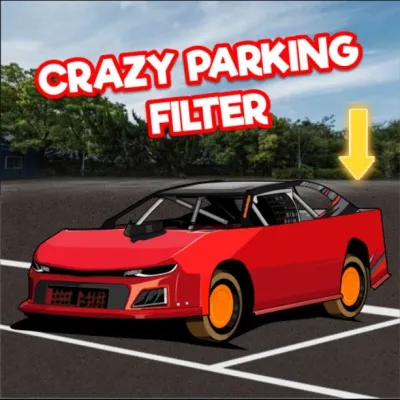
Click to Play
About This Game
Crazy Parking drops you into wildly chaotic parking scenarios where every second counts and every space is a challenge. Navigate your vehicle through obstacle-laden lots filled with erratic drivers, misplaced shopping carts, and impossibly tight turns. Each level ramps up the absurdity with new hazards like moving barriers, slippery surfaces, and time-sensitive gates. Your steering precision and spatial awareness are pushed to the limit as you attempt to squeeze into spaces that seem far too small. With dozens of increasingly outrageous levels, Crazy Parking turns the mundane act of parking into a thrilling free browser game that anyone can enjoy instantly without downloads.
How to Play crazy parking
Use the arrow keys or WASD to steer your vehicle through each parking lot. The up arrow accelerates forward, down arrow reverses, and left/right arrows control your steering direction. On mobile devices, use the on-screen control buttons for the same actions. Your objective each level is to guide your car from the starting position into the highlighted parking spot without hitting obstacles or other vehicles. Start by scanning the lot layout before moving — identify the path to your designated spot and note any moving obstacles along the way. Drive slowly when approaching tight turns, as colliding with barriers or parked cars costs you time or attempts. Some levels introduce one-way lanes, rotating barriers, and timed gates that open and close on cycles, so patience and timing matter as much as steering skill. Later stages feature multi-step parking where you must move other vehicles out of the way before you can reach your spot. Master the art of reverse parking early, as many advanced levels require backing into narrow spaces at precise angles. Keep practicing — the controls become second nature once you develop a feel for the turning radius. Pay attention to the indicator arrows on the parking space — they show whether you need to drive in forward or reverse. Some levels award bonus points for parking quickly, but accuracy always takes priority over speed. When facing multi-car puzzles, plan the order in which you move each vehicle before touching the controls.
Highlights
- Dozens of increasingly chaotic parking scenarios
- Moving obstacles, timed gates, and slippery surfaces
- Both forward and reverse parking challenges
- Progressive difficulty with new hazard types per stage
- Touch-friendly controls for mobile browsers
- Free to play with no downloads or sign-ups required
Tips & Tricks for crazy parking
- Survey the entire lot layout before accelerating to plan your route
- Use reverse gear generously — backing in gives better angle control in tight spots
- Tap the controls lightly for micro-adjustments near obstacles instead of holding them down
- Watch the timing cycles on moving barriers before committing to drive through
- Retry difficult levels to learn the obstacle patterns rather than rushing through
FAQ
- How do I control my car in Crazy Parking?
- Use arrow keys or WASD on desktop, or tap the on-screen directional buttons on mobile. Up/W accelerates, Down/S reverses, and Left-Right/A-D steer.
- Is Crazy Parking free to play?
- Yes, Crazy Parking is completely free. Play instantly in your browser with no downloads, installations, or account registrations needed.
- Why do I keep hitting obstacles in Crazy Parking?
- Try driving slower and using small, controlled steering inputs near tight spaces. Survey the lot before moving to plan your path and anticipate moving hazards.
- Does Crazy Parking work on my phone?
- Yes, Crazy Parking is an HTML5 game that runs smoothly on both desktop and mobile browsers with responsive touch controls.
- How many levels are in Crazy Parking?
- Crazy Parking features dozens of levels with progressively wilder scenarios, from simple angled parking to multi-vehicle puzzles with moving barriers and timed obstacles.