CubeJump
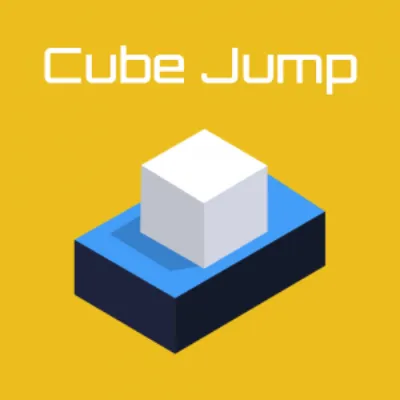
Click to Play
About This Game
CubeJump is an exhilarating cube-hopping platformer where you guide a bouncy cube through treacherous obstacle courses by timing your jumps with pixel-perfect precision. Each level is a gauntlet of moving platforms, spinning hazards, and disappearing floors that demand quick reflexes and careful rhythm. Your cube bounces automatically, and your job is to control the direction and timing of each leap to navigate safely from start to finish. The geometric world is rendered in bold colors that shift with the music, creating a synesthetic experience where sight and sound merge into one pulse-pounding challenge. This free browser game delivers pure platforming joy in bite-sized levels.
How to Play CubeJump
Your cube bounces continuously on its own — you control only the horizontal direction and the timing of jumps. Tap or click to make the cube jump higher than its automatic bounce, and hold the direction keys or tilt your device to steer it left or right mid-air. The core challenge is reading the layout ahead of you while maintaining momentum. Platforms come in several types: static platforms are reliable landing spots, moving platforms slide along fixed paths requiring you to time your landing, crumbling platforms break after a brief moment so you must jump immediately after touching them, and spring platforms launch your cube extra high. Spikes, saw blades, and laser beams serve as obstacles that restart you from the last checkpoint. Checkpoints appear as glowing markers throughout each level, and reaching one saves your progress so you do not have to replay the entire course after dying. Collect stars scattered along the path for bonus points — some are placed in risky positions that test your courage and skill. As levels progress, the pace increases dramatically. Platforms become smaller and farther apart, hazards move faster, and new mechanics like gravity flips and portal jumps are introduced. The musical soundtrack syncs with obstacle patterns in many levels, meaning listening to the beat can help you anticipate when platforms appear or hazards activate. Short levels mean quick restarts, keeping frustration low even when difficulty spikes.
Highlights
- Auto-bounce mechanic with precision jump and directional control
- Multiple platform types: static, moving, crumbling, and spring
- Music-synced obstacle patterns creating rhythmic gameplay
- Bold geometric visuals with dynamic color shifts
- Checkpoint system for fair progression through tough courses
- Free browser game with bite-sized levels perfect for quick sessions
Tips & Tricks for CubeJump
- Listen to the music — obstacle patterns often sync with the beat for audio timing cues
- Hold the jump button slightly longer for higher bounces when you need extra height
- Land on the edge of moving platforms in the direction they are traveling for easier transitions
- Memorize crumbling platform sequences so you can chain rapid jumps without hesitation
- Collect stars on your second attempt through a section once you know the safe path
FAQ
- How do I control the cube in CubeJump?
- The cube bounces automatically. You tap or click to jump higher and use direction keys or touch controls to steer left and right. Timing your jumps to land on platforms is the core skill.
- Is CubeJump free to play?
- Yes, CubeJump is completely free. Play instantly in your web browser without any downloads, installations, or accounts needed.
- What happens when I hit an obstacle in CubeJump?
- Hitting spikes, saw blades, or lasers sends you back to the last checkpoint you reached. Checkpoints save frequently, so you rarely lose much progress.
- Are there different types of platforms in CubeJump?
- Yes, platforms include static, moving, crumbling, and spring types. Each behaves differently — crumbling ones break after you land, and spring platforms launch you extra high.
- Can I play CubeJump on mobile?
- Absolutely. CubeJump is an HTML5 game designed for both desktop and mobile. Touch controls for jumping and steering work smoothly on phones and tablets.