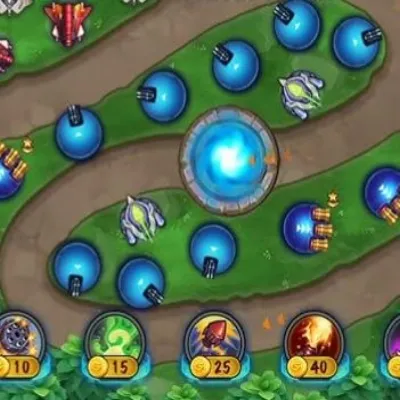
Draw The Defense

Click to Play
About This Game
Draw The Defense puts your creativity to the ultimate test by challenging you to sketch defensive paths that guide and trap waves of incoming enemies. Rather than building conventional towers, you draw lines on the battlefield that become physical barriers, redirecting enemy movement through increasingly longer and more dangerous routes. Your drawn paths funnel attackers past defensive zones where automated turrets unleash their firepower. The beauty of Draw The Defense lies in its freedom — there is no single correct solution, and every player's defense looks different. Experiment with spirals, switchbacks, and complex labyrinths to discover what works best against each enemy wave. A uniquely creative free browser tower defense experience.
How to Play Draw The Defense
Before each wave, use your mouse or finger to draw lines on the map. These lines become solid barriers that enemies cannot pass through, forcing them to find alternate routes toward your base. The key strategy is drawing paths that create the longest possible journey for enemies, giving your pre-placed turrets maximum shooting time. Start by drawing a simple S-curve from the enemy spawn to your base, then refine with additional barriers as waves progress. You have a limited amount of drawing material per wave, shown by the bar at the top of the screen. Thicker and longer lines consume more material, so use thin precise strokes for maximum coverage. Between waves, study which sections of your path enemies moved through fastest — those need additional barriers or redirections. Some enemies can break through thin walls after sustained contact, so reinforce critical chokepoints with double-thick lines. Advanced waves bring flying enemies that ignore ground barriers, requiring you to rely on specialized anti-air turrets for those threats. Combine efficient path design with smart turret placement upgrades to survive increasingly fierce attacks. Drawing material carries over if unused, so conserving in early waves gives you a larger budget for complex defenses later. Experiment with closed loops — if you draw a complete enclosure around a turret, enemies must walk the entire perimeter to pass it, maximizing exposure time. On maps with multiple spawn points, you will need to balance your drawing material across several entry corridors rather than investing everything into one elaborate maze.
Highlights
- Freehand drawing system to create physical defensive barriers
- No fixed solutions — every player's defense is uniquely designed
- Limited drawing material adds strategic resource pressure
- Multiple enemy types including wall-breakers and flying units
- Turret upgrade system to complement drawn defenses
- Free browser game with creative tower defense gameplay
Tips & Tricks for Draw The Defense
- Draw S-curves and switchbacks to maximize the path length enemies must travel
- Use thin precise lines to conserve drawing material for broader coverage
- Reinforce chokepoints with double-thick lines against wall-breaking enemies
- Study enemy movement between waves and add barriers where they move fastest
- Save some drawing material for mid-wave emergency barriers when defenses are breached
FAQ
- How do I create defenses in Draw The Defense?
- Draw lines directly on the battlefield with your mouse or finger. These lines become solid barriers that redirect enemy movement, forcing them through longer paths past your turrets.
- Is Draw The Defense free?
- Yes, Draw The Defense is completely free to play in your browser. No downloads, sign-ups, or payments needed.
- Can enemies break through my walls in Draw The Defense?
- Some advanced enemy types can break through thin walls after sustained contact. Reinforce critical barriers with double-thick lines to prevent breakthroughs.
- Is there a limit to how much I can draw in Draw The Defense?
- Yes, each wave provides a limited amount of drawing material. Longer and thicker lines consume more, so plan your barriers efficiently.
- Does Draw The Defense work on touchscreens?
- Yes, Draw The Defense is perfectly suited for touchscreens. Drawing defensive paths with your finger feels natural and intuitive on mobile devices and tablets.