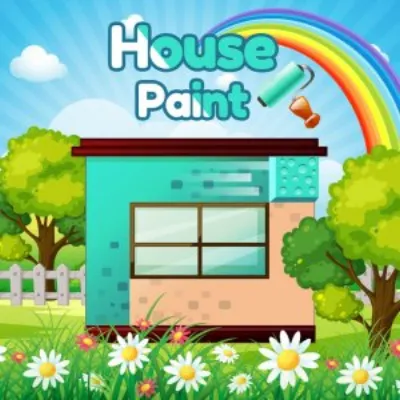
house paint
Click to Play
About This Game
House Paint is a colorful and satisfying puzzle game where you roll paint across houses to coat them in the correct colors. Each level presents an isometric view of houses with unpainted surfaces, and your job is to drag the paint roller across every face until the entire structure is covered without retracing your path. The challenge lies in finding the optimal route that visits every surface exactly once — a concept rooted in classic graph theory but wrapped in delightful visuals. As levels progress, house architectures grow more complex with multi-story buildings, L-shaped structures, and interconnected rooftops. This free browser game turns spatial reasoning into a vibrant, relaxing experience.
How to Play house paint
Each level displays a house or group of houses viewed from an isometric angle, with surfaces divided into paintable sections. You start by tapping or clicking any unpainted surface to place your paint roller, then drag continuously across adjacent surfaces to paint them. The core rule is simple but demanding: you must paint every surface without crossing any previously painted section. If you paint yourself into a corner with unreachable unpainted areas remaining, you must restart the level. Begin by counting the total number of surfaces and identifying potential dead ends — corners or isolated faces that can only be accessed from one direction. Always plan to visit these dead-end surfaces last, as entering them early will block your path. For rectangular houses, an edge-first strategy works well: paint the outer perimeter surfaces before filling in the central areas. Multi-story buildings add vertical complexity, requiring you to plan transitions between floors through connected wall surfaces. L-shaped and T-shaped houses create branching paths where choosing the wrong fork early can make completion impossible. When multiple houses are connected, treat them as a single continuous surface network and map out the full route mentally before beginning. Later levels introduce houses with different target colors, requiring you to complete one color section entirely before switching to the next. The satisfaction of watching a perfectly planned route coat an entire house in one smooth motion is the true reward of mastering this game.
Highlights
- Satisfying paint-rolling mechanic with vibrant color fills
- Isometric house designs with increasing architectural complexity
- Euler path puzzle logic wrapped in approachable visual design
- Multi-story and multi-building challenges in later levels
- Clean minimalist art style with smooth rolling animations
- Free to play in any browser with no installation needed
Tips & Tricks for house paint
- Identify dead-end surfaces first and plan to paint them last in your route
- Start from edges and corners rather than the middle of large flat surfaces
- For multi-story buildings, plan your floor transitions through connecting walls
- Count total surfaces before starting to ensure your planned route covers everything
- When houses connect, treat them as one continuous network and map the full path mentally
FAQ
- What is the goal of House Paint?
- Paint every surface of the house by dragging your roller across all faces without retracing any previously painted section. Find the one continuous path that covers the entire structure.
- Is House Paint free to play?
- Yes, House Paint is completely free. Play it instantly in your web browser without any downloads, accounts, or in-app purchases required.
- Why do I keep getting stuck in House Paint?
- You are likely painting dead-end surfaces too early. Identify surfaces that can only be accessed from one direction and save them for the end of your route to avoid getting trapped.
- How many levels does House Paint have?
- House Paint features hundreds of levels with progressively complex house designs, from simple cubes to multi-story, multi-building structures that test advanced spatial planning.
- Can I play House Paint on my phone?
- Yes, House Paint works beautifully on mobile browsers with intuitive touch-and-drag controls, as well as on desktop with mouse input.