kids spelling
Click to Play
About This Game
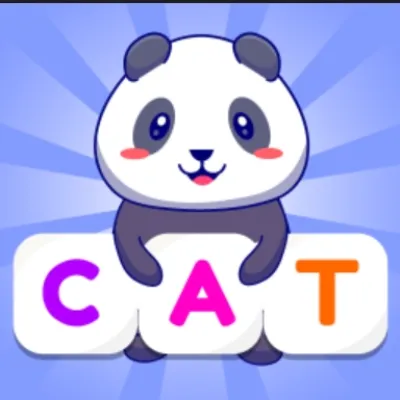
Kids Spelling transforms vocabulary practice into an exciting adventure for young learners. Each round presents a colorful image alongside scrambled letters, and children must arrange the letters in the correct order to spell the word. The game covers essential vocabulary across themes like animals, food, colors, and everyday objects, building a strong foundation for reading and writing skills. Cheerful animations celebrate every correct answer, keeping motivation high. Difficulty adjusts naturally as players advance from simple three-letter words to more complex vocabulary. This free browser game requires no downloads or accounts, making it easy for parents and teachers to get kids started instantly on any device.
How to Play kids spelling
When a new round begins, you will see a bright illustration of an object along with a set of scrambled letter tiles below it. Your job is to tap or click the letters in the correct order to spell the word that matches the picture. If you place a letter incorrectly, you can tap it again to remove it and try a different arrangement. Start by looking at the picture carefully to identify the object, then sound out the word in your head before selecting letters. For younger players, try saying each letter aloud as you tap it to reinforce the connection between sounds and spelling. The game begins with short, common words like cat, dog, and sun, gradually introducing longer words as your skills improve. Each correct spelling triggers a fun animation and sound effect as a reward. If you get stuck, pay attention to any letter hints the game provides — some rounds highlight the first letter to give you a starting point. Parents can sit alongside younger children to help sound out unfamiliar words, turning the game into a shared learning activity. The game tracks progress through multiple word sets, and completing a set unlocks new themed collections. Practice consistently and you will notice vocabulary recognition improving rapidly. Revisiting earlier word sets helps reinforce retention, so do not hesitate to replay completed levels for extra practice and confidence building.
Highlights
- Hundreds of age-appropriate vocabulary words across multiple themes
- Colorful illustrations paired with every word for visual learning
- Progressive difficulty from three-letter words to advanced vocabulary
- Celebratory animations and sound effects for correct answers
- No downloads or registration required to start playing
- Works on tablets, phones, and desktop browsers for flexible learning
Tips & Tricks for kids spelling
- Say the word out loud before tapping letters to reinforce phonics skills
- Start with the first letter you are most confident about to anchor the spelling
- Use the picture clue to identify the object before attempting to spell
- Replay completed word sets regularly to strengthen long-term memory
- Encourage children to sound out each letter as they place it
FAQ
- What age group is Kids Spelling designed for?
- Kids Spelling is designed for children ages 4 to 10. Younger kids can work on simple three-letter words while older children tackle more challenging vocabulary.
- Is Kids Spelling free to play?
- Yes, Kids Spelling is completely free. There are no hidden fees, in-app purchases, or subscriptions. Just open it in your browser and start spelling.
- Can my child play Kids Spelling on a tablet?
- Absolutely. Kids Spelling works on all modern tablets, phones, and computers through the web browser with no app download needed.
- Does Kids Spelling track my child's progress?
- Yes, Kids Spelling tracks which word sets have been completed and lets children revisit earlier sets to reinforce what they have learned.
- What topics does Kids Spelling cover?
- Kids Spelling includes word sets covering animals, food, colors, household objects, nature, and more. New themes unlock as your child progresses through the game.