Parking Ace 3d
Click to Play
About This Game
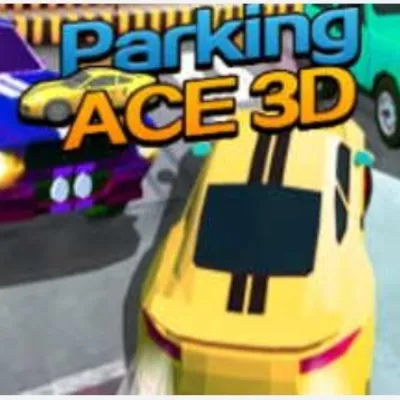
Parking Ace 3D puts you behind the wheel in a fully three-dimensional parking simulation where depth perception and camera angles add real challenge to every maneuver. Navigate realistic parking garages, outdoor lots, and street-side spaces with authentic vehicle physics that respond to your steering, braking, and acceleration inputs. The 3D perspective lets you appreciate the spatial relationships between your car and surrounding obstacles in a way flat puzzles never could. From parallel parking on busy streets to reverse parking in underground garages, every scenario tests different driving skills. With polished 3D graphics and smooth controls, this free browser game delivers a genuine parking simulation experience.
How to Play Parking Ace 3d
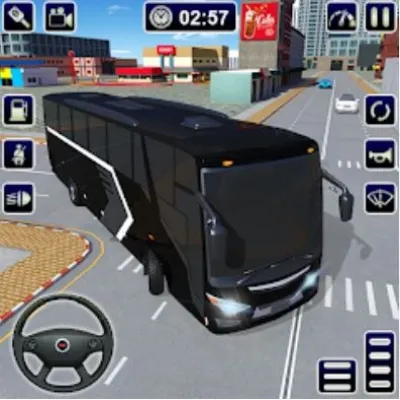
Control your vehicle using arrow keys or WASD for steering and acceleration. The up arrow moves forward, down arrow reverses, and left/right arrows turn the steering wheel. On mobile, use the on-screen virtual steering wheel and pedal buttons. The 3D camera follows your vehicle from behind, giving you a realistic driver's perspective. Use the camera rotate button or drag the screen to look around and judge distances to nearby vehicles and walls. Each level requires you to park within the highlighted zone — the zone turns green when your car is properly aligned and positioned. Start by approaching the parking space at a wide angle, then cut the wheel sharply as your rear bumper reaches the space entrance. For parallel parking, pull alongside the car ahead of the space, then reverse while turning into the gap. Monitor your side mirrors by checking the camera angles to avoid scraping adjacent vehicles. Complete each level within the time limit and without collisions to earn maximum stars. In underground garage levels, watch for pillars and low-clearance signs that restrict your maneuvering space. Street-side scenarios add traffic flow, so time your parking attempt between passing vehicles. The star rating system rewards both precision and speed — three stars require zero collisions and finishing well under the time limit. Practice each parking type in the early levels to build muscle memory before the game combines multiple techniques in a single challenge.
Highlights
- Full 3D environments including garages, streets, and outdoor lots
- Realistic vehicle physics with steering and braking response
- Adjustable camera angles for judging depth and distance
- Parallel, angled, and reverse parking challenges
- Star rating system based on speed and collision avoidance
- Free to play in any modern browser without downloads
Tips & Tricks for Parking Ace 3d
- Rotate the 3D camera frequently to check blind spots before turning
- Approach parking spaces at a wide angle for easier alignment
- Use slow speed near obstacles — precision matters more than pace
- For parallel parking, align your rear bumper with the front car before reversing in
- Practice in early levels to master the turning radius before harder stages
FAQ
- How do I control the car in Parking Ace 3D?
- Use arrow keys or WASD on desktop for steering and acceleration. On mobile, use the on-screen steering wheel and pedal buttons. The camera follows from behind for a realistic perspective.
- Is Parking Ace 3D free?
- Yes, Parking Ace 3D is completely free to play in your browser. No downloads, installations, or account sign-ups are required.
- Can I change the camera angle in Parking Ace 3D?
- Yes, use the camera button or drag on the screen to rotate your view. Checking different angles is essential for judging distances in tight parking spaces.
- What types of parking are in Parking Ace 3D?
- The game includes parallel parking, angled slot parking, perpendicular reverse parking, and multi-level garage scenarios across dozens of levels.
- Does Parking Ace 3D work on mobile phones?
- Yes, Parking Ace 3D runs on mobile browsers with touch-friendly virtual controls including a steering wheel and acceleration/brake pedals.