sea battle
Click to Play
About This Game
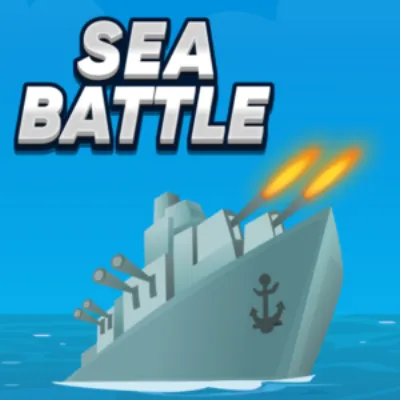
Sea Battle brings the timeless battleship guessing game to your browser, challenging you to locate and sink your opponent's hidden fleet on a grid-based ocean map. Place your own ships strategically across the board, then take turns firing shots at coordinates where you think enemy vessels are hiding. Each hit reveals part of a ship, each miss splashes harmlessly into the water, and the tension builds as both fleets slowly take damage. Deduction, pattern recognition, and a touch of calculated guessing combine in every match. This free browser game captures the classic naval warfare excitement that has entertained players for generations.
How to Play sea battle
The game begins with a placement phase where you position your fleet on your grid. You typically have ships of varying lengths — from a small patrol boat occupying two squares to a large carrier spanning five. Place ships horizontally or vertically by clicking grid cells, ensuring no ships overlap or extend beyond the board edges. Once both fleets are deployed, the battle phase begins. Click on a cell in the opponent's grid to fire a shot at that coordinate. A hit is marked with a red indicator, while a miss shows a white splash. When all cells of a ship are hit, it sinks and its outline is revealed on the grid. Your opponent fires back on their turn, targeting your grid the same way. Start by firing shots spread across the board to maximize coverage — this hunt pattern helps you find ships faster than clustering shots in one area. When you score a hit, switch to a systematic approach: fire at the four adjacent cells (up, down, left, right) to determine the ship's orientation. Once you know the direction, continue firing along that line until the ship sinks. Keep track of which ship sizes remain unsunk to estimate how many consecutive cells to target. Avoid wasting shots on cells adjacent to already-sunken ships, as placement rules prevent ships from touching. Use the edges and corners of the board strategically — many players avoid placing ships there, but some use it precisely because of that assumption.
Highlights
- Classic battleship gameplay with strategic ship placement and turn-based firing
- Multiple ship types of varying lengths for diverse fleet configurations
- Hit and miss visual indicators with ship sinking animations
- AI opponent with intelligent targeting patterns for solo play
- Clean grid-based interface that is easy to read at a glance
- Free to play in any browser with no downloads or sign-ups
Tips & Tricks for sea battle
- Spread your initial shots across the board in a checkerboard pattern for maximum coverage
- When you hit a ship, fire at adjacent cells to determine its orientation before continuing along the line
- Track remaining enemy ship sizes to know how many consecutive hits you need
- Avoid shooting next to fully sunken ships since ships cannot be placed touching each other
- Place your own ships unpredictably — mix edge placements with center positions to be harder to find
FAQ
- How do I place ships in Sea Battle?
- During the placement phase, click on grid cells to position your ships horizontally or vertically. Ships cannot overlap or extend beyond the board. Rotate them before placing to fit your strategy.
- How do I know when I have sunk a ship in Sea Battle?
- When all cells of an enemy ship are hit, it sinks and its full outline is revealed on the grid. The game also typically announces which ship type was sunk.
- Is Sea Battle free to play?
- Yes, Sea Battle is completely free. Play instantly in your browser without any downloads, installations, or account registrations.
- What is the best strategy for Sea Battle?
- Use a spread-out hunt pattern early to find ships, then switch to targeted adjacent shots when you score a hit. Track remaining ship sizes to estimate how many hits each needs.
- Can I play Sea Battle on my phone?
- Yes, Sea Battle is an HTML5 game that works perfectly on mobile browsers. Tap grid cells to place ships and fire shots with responsive touch controls.