shapes puzzle
Click to Play
About This Game
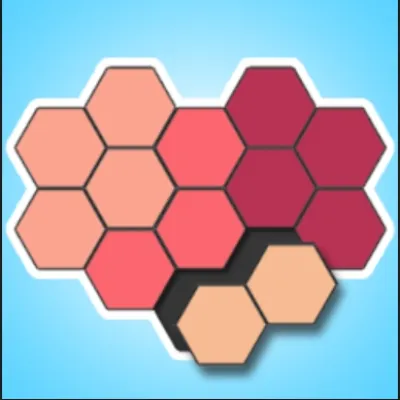
Shapes Puzzle challenges your spatial reasoning with a satisfying twist on classic tangram-style games. Each level presents a target outline and a collection of geometric shapes — triangles, squares, parallelograms, and irregular polygons — that must be rotated, flipped, and positioned to fill the silhouette perfectly. What starts as simple two-piece combinations quickly evolves into multi-piece brain teasers demanding creative thinking and precise placement. The clean, minimalist interface lets you focus entirely on the geometric challenge without distractions. Every completed puzzle rewards you with a smooth snap animation as pieces lock into place. This free browser game provides endless spatial training accessible from any device.
How to Play shapes puzzle
Each level shows a gray silhouette outline on the board alongside a set of colorful geometric shapes. Your goal is to drag every shape into the outline so they fill it completely without overlapping or leaving gaps. Click or tap a shape to select it, then drag it toward the outline. Most shapes can be rotated by tapping a rotation button or using a two-finger twist gesture on mobile devices. Some levels also allow flipping shapes horizontally to create mirror images. Start by examining the outline carefully and identifying distinctive corners or edges that match specific shapes. Place the largest or most uniquely shaped piece first, as it typically has fewer possible positions and anchors the rest of the puzzle. Work from the corners and edges inward — boundary pieces have constrained positions that narrow down your options quickly. If a shape almost fits but leaves a tiny gap, try rotating it in ninety-degree increments to test all four orientations. When stuck, remove all pieces and try a completely different starting configuration rather than making small adjustments. Later levels introduce curved edges, irregular polygons, and pieces that must be layered in a specific order, adding new dimensions to the challenge. The satisfaction of watching every piece click into place makes even the toughest puzzles worth the effort. Practice consistently to develop an intuition for spatial relationships that will serve you well across all puzzle types.
Highlights
- Dozens of progressively challenging geometric puzzles
- Rotate and flip mechanics for complex shape manipulation
- Clean minimalist design focused on the puzzle experience
- Satisfying snap animations when pieces lock into place
- Variety of shape types including triangles, polygons, and curves
- Free to play on any browser without downloads or sign-ups
Tips & Tricks for shapes puzzle
- Place the largest or most unique shape first to anchor your solution
- Work from corners and edges inward where positioning is more constrained
- Try all four rotations of a shape before deciding it does not fit
- If stuck, clear all pieces and attempt an entirely different arrangement
- Pay attention to the angles of the outline to match them with shape corners
FAQ
- How do I rotate shapes in Shapes Puzzle?
- Tap the rotation button after selecting a shape, or use a two-finger twist gesture on touchscreen devices. Each tap rotates the piece by ninety degrees.
- Is Shapes Puzzle free to play?
- Yes, Shapes Puzzle is completely free. Play directly in your browser on any device without needing to download or install anything.
- Can I flip shapes in Shapes Puzzle?
- Some levels allow you to flip shapes horizontally to create mirror images. A flip button appears when this option is available for the current puzzle.
- How many levels does Shapes Puzzle have?
- Shapes Puzzle includes dozens of levels across multiple difficulty tiers. New puzzles introduce more complex shapes and larger outlines as you progress.
- Is Shapes Puzzle suitable for children?
- Yes, the early levels of Shapes Puzzle use simple shapes and are great for developing spatial awareness in young children. Difficulty increases gradually for older players.