typeshift
Click to Play
About This Game
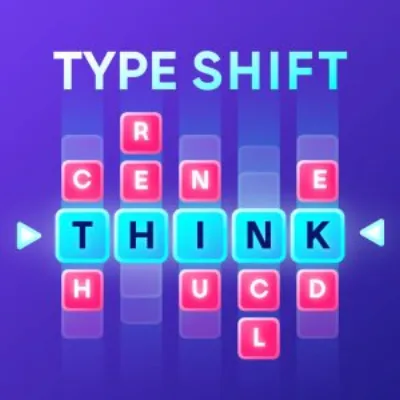
Typeshift reinvents word puzzles by arranging letter columns that you slide up and down to form valid words across a horizontal row. Each column contains a stack of letters, and shifting them vertically aligns different combinations in the central word line. Your mission is to use every letter in every column at least once by forming enough valid words to highlight all letters. The elegance lies in the constraint: you cannot rearrange columns or move letters horizontally, only vertically within their column. With its sophisticated typography, smooth sliding animations, and vocabulary that spans from everyday words to delightful obscurities, this free browser game is a refined treat for word puzzle enthusiasts.
How to Play typeshift
The screen displays several vertical columns of letters side by side, forming a horizontal word slot where one letter from each column is currently visible. Swipe up or down on any column to cycle through its available letters, changing the letter that appears in the word row. When the visible letters across all columns form a valid English word, it is automatically recognized and those letters become highlighted. Your goal is to highlight every letter in every column by forming enough different words. Start with the columns that have the fewest letters, as those are the most constrained and limit your options. Once you know which letters a short column offers, you can build words around those anchor points. Common three and four-letter words are your best tools for rapid coverage. When a column has a rarely used letter like Q, X, or Z, brainstorm words containing that letter first, then check if the remaining columns can supply the other letters needed. Working on difficult letters early prevents getting stuck in the endgame with an obscure letter and no remaining combinations. Pay attention to which letters are already highlighted — you do not need to avoid using them, but your focus should be on unlit letters. Some puzzles feature themed word sets where all valid answers relate to a topic, providing helpful context clues. The dictionary accepts a wide range of words including less common ones, so experiment boldly. Each puzzle is solvable, and if you highlight all letters you achieve a perfect completion.
Highlights
- Innovative column-sliding mechanic redefining word puzzle gameplay
- Sophisticated typography with smooth vertical scrolling animations
- Vocabulary ranging from common words to rewarding obscure discoveries
- Goal-based completion requiring every letter to be used at least once
- Free to play in any browser with no downloads needed
- Themed puzzles offering contextual clues for focused word discovery
Tips & Tricks for typeshift
- Tackle columns with the fewest letters first since they limit your word options the most
- Address rare letters like Q, X, and Z early before your combinations narrow
- Focus on unlit letters and build words specifically to highlight them
- Try common short words to quickly cover multiple unhighlighted letters
- Experiment with uncommon words — the dictionary accepts a wide vocabulary
FAQ
- How does Typeshift work?
- Slide letter columns up and down to align letters in the word row. When the visible letters form a valid word, it is recognized. Your goal is to highlight every letter in every column by forming enough words.
- Is Typeshift free to play?
- Yes, Typeshift is completely free. Play directly in your browser with no downloads, sign-ups, or purchases required.
- What counts as a valid word in Typeshift?
- The game uses a comprehensive English dictionary that includes common and less common words. Proper nouns and abbreviations are typically excluded.
- How do I know when I have completed a Typeshift puzzle?
- Every letter in every column must be highlighted at least once. When all letters are lit, you achieve a perfect completion for that puzzle.
- Can I play Typeshift on mobile?
- Yes, Typeshift is an HTML5 game that works beautifully on mobile browsers. The vertical swipe controls feel natural on touchscreen devices.