word swipe
Click to Play
About This Game
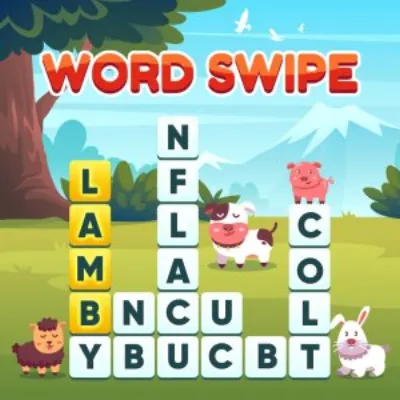
Word Swipe challenges you to trace your finger across a grid of letters to discover hidden words. Each puzzle presents a compact letter board where words snake in any direction — horizontally, vertically, diagonally, and even in zigzag patterns. Swipe through connected letters to spell words, and each correctly found word lights up on the answer list. The twist is that every letter on the board is used in at least one answer, so no tile is wasted. Puzzles range from simple four-letter grids to sprawling letter mazes that hide dozens of words. With its intuitive swipe mechanics, colorful letter tiles, and brain-stretching vocabulary challenges, this free browser game makes word hunting a delightfully tactile experience.
How to Play word swipe
Each puzzle displays a grid of letter tiles alongside a list of blank word slots showing the length of each hidden word. Press and hold on a letter tile, then swipe through adjacent tiles to trace a word. Letters must be connected horizontally, vertically, or diagonally, and each tile can only be used once per word. Release your finger to submit the word. If valid, the word appears in the answer list and the path briefly illuminates. If not, the selection resets with no penalty. Begin with shorter words, as they are easier to spot and their positions often reveal letter clusters useful for longer words. Look for common prefixes and suffixes — tiles containing ING, TION, or ED are strong starting clues. When searching for longer words, start from less common letters like J, K, or V, since these appear in fewer words and narrow your search. The edges and corners of the grid are particularly helpful anchor points, as letters there have fewer adjacent tiles, limiting the possible paths. Some puzzles include bonus words not on the answer list — finding these earns extra points. As you clear more answer words, the remaining blanks provide letter-length clues that further narrow the search. On larger grids, a systematic sweep pattern prevents you from overlooking short words hiding in plain sight. Many puzzles are themed, so identifying the topic early can guide your word search toward relevant vocabulary.
Highlights
- Intuitive swipe-to-spell mechanic with responsive touch controls
- Diverse puzzle sizes from compact grids to expansive letter mazes
- Every letter tile used in at least one answer — no wasted space
- Bonus word system rewarding extra discoveries beyond the answer list
- Colorful tile design with satisfying path illumination effects
- Play free in any browser — no download or registration needed
Tips & Tricks for word swipe
- Start with shorter words to reveal letter clusters that help find longer ones
- Look for common prefixes and suffixes like ING, TION, ED, and UN
- Begin tracing from uncommon letters to narrow down possible words quickly
- Use grid edges and corners as anchor points since they have fewer path options
- Identify the puzzle theme early to focus your search on relevant vocabulary
FAQ
- How do I find words in Word Swipe?
- Press and swipe through adjacent letter tiles to trace a word. Letters can connect in any direction including diagonals. Release to submit — valid words appear on the answer list.
- Is Word Swipe free to play?
- Yes, Word Swipe is completely free. Play instantly in your web browser without downloads, accounts, or any hidden fees.
- Can letters be reused within a single word in Word Swipe?
- No, each letter tile can only be used once per word. However, the same tile can appear in different words across the puzzle.
- What are bonus words in Word Swipe?
- Bonus words are valid words that exist on the grid but are not on the required answer list. Finding them earns extra points and adds to your completion score.
- Does Word Swipe work on desktop computers?
- Yes, Word Swipe works on both desktop and mobile browsers. On desktop, click and drag to trace words instead of swiping.