Piano Fire

Click to Play
About This Game
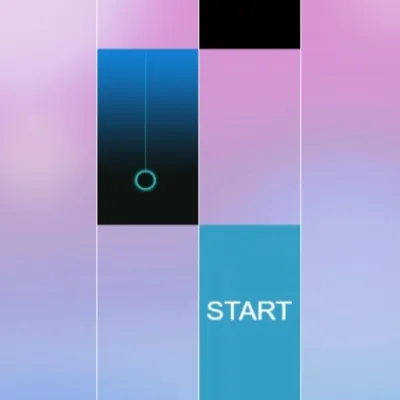
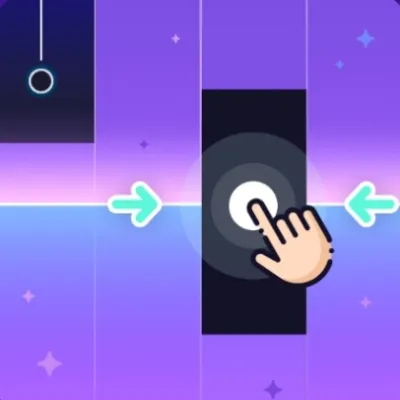
Play Piano Fire online and follow its timing-line tutorial. Tap a tile when the line reaches its middle to aim for a Perfect hit. The browser version opens with a GO tutorial and a START tile, with score and star progress shown above the lanes. Read the prompts before chasing a higher score; this version should not be confused with other mobile games using the same name.
How to Play Piano Fire
Select Play Now, read the tutorial, and choose GO. Tap the tile marked START to begin. Watch the timing line and aim for the middle of the next tile, as the tutorial shows. Use a mouse click or the on-screen touch controls. Follow any hold prompt shown on longer tiles, and use the result screen to retry after a mistake. The tutorial is a better guide than assuming the game uses a particular keyboard layout or difficulty selector.
Highlights
- Tutorial explains the timing line and Perfect hits
- Four lanes with an on-screen START tile
- Visible score and star progress
- Mouse and on-screen touch input
Tips & Tricks for Piano Fire
- Read the timing-line tutorial before the first round.
- Keep your attention near the hit line while checking which lane comes next.
- Use a comfortable audio volume and check the selected output if timing feels inconsistent.
- Repeat a short opening section to learn the timing instead of assuming a practice-speed control exists.
FAQ
- How do I start Piano Fire?
- Load the game, choose GO in the tutorial, then tap the START tile. The tutorial explains where the timing line should meet a tile.
- How do I get a Perfect hit?
- The tutorial says to tap when the line is at the middle of the tile. Follow that visual prompt rather than tapping as soon as a tile appears.
- Is this the same as a mobile app called Piano Fire?
- Not necessarily. These instructions describe the browser version embedded on this page; features and song access in another product may differ.
- Do headphones always remove audio delay?
- No. Delay can come from the game, browser, system or output device. Compare the same short section on your available outputs; wireless headphones may add latency.
Gaming Blog
- Find the Perfect Game for Your Mood: A FunGame Guide
Stressed? Bored? Need a brain workout? We match games to moods so you always find the perfect free game for how you feel right now.
- The Best Browser Games to Play on Your Smartphone 2026
Great mobile browser games load fast, feel natural on touchscreens, and respect short sessions. These are the titles we keep returning to on phones in 2026.
- Free Piano & Rhythm Games: Controls and What to Expect
Compare Piano Music Tiles, Piano Fire and Perfect Piano 2: real controls, song access and practical audio checks before you play.