Piano Music Tiles

Click to Play
About This Game
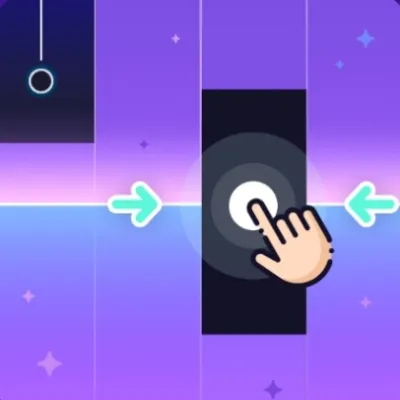
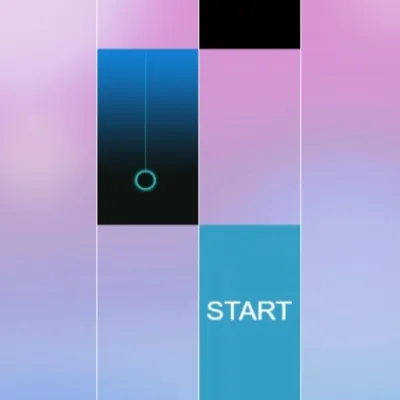
Piano Music Tiles challenges you to tap only the black tiles as they cascade down the screen to the rhythm of beautiful piano melodies. One wrong tap on a white tile and the music stops. Speed and precision are everything in this addictive rhythm game where songs start gently but accelerate relentlessly, pushing your reflexes to the limit. The minimalist black-and-white design creates a striking visual that lets you focus purely on the cascading tiles. With dozens of piano compositions ranging from Beethoven to modern pop covers, every session tests your coordination differently. Jump in free from any browser — no downloads needed.
How to Play Piano Music Tiles
Black tiles scroll downward in four columns. Tap or click each black tile as it reaches the bottom of the screen before it passes the boundary line. Missing a black tile or accidentally tapping a white space immediately ends the song. Speed increases as you progress through each piece — early measures lull you into comfort before the tempo ramps up dramatically. On desktop, use the four keys mapped to each column for rapid input. On mobile, use multiple fingers to handle simultaneous tiles in adjacent columns. Some songs feature double tiles requiring two columns tapped at once. Long tiles appear occasionally — press and hold until the entire tile has scrolled past. Your score reflects both the number of tiles hit and your speed bonus. After each song, you receive a star rating based on accuracy and completion. Practice mode lets you slow down difficult songs to master tricky passages before attempting them at full speed.
Highlights
- Extensive library of piano compositions from classical to contemporary
- Progressive speed increase within each song for escalating challenge
- Minimalist black-and-white visual design for distraction-free gameplay
- Long-press tiles and simultaneous double-tile patterns for variety
- Star rating system with practice mode for difficult passages
- Instant free play in any browser on desktop or mobile devices
Tips & Tricks for Piano Music Tiles
- Keep your eyes focused two to three rows ahead of the hit zone to prepare for upcoming tiles
- Use index and middle fingers on each hand for four-column coverage on desktop
- Never rush — let tiles come to the hit zone rather than chasing them up the screen
- Practice fast songs at slow speed first to memorize the tile pattern
- On mobile, position your thumbs at the center bottom and reach outward to cover all four columns
FAQ
- What happens if I tap a white tile in Piano Music Tiles?
- Tapping a white tile immediately ends the current song. The game requires precision — only tap the black tiles as they reach the hit zone at the bottom of the screen.
- Is Piano Music Tiles free?
- Yes, Piano Music Tiles is completely free to play online. Access the full game through your browser without any downloads, registrations, or hidden costs.
- What songs are available in Piano Music Tiles?
- The game features a wide range of piano compositions including classical masterpieces, popular music covers, and original arrangements, each with increasing difficulty.
- How do I handle fast sections in Piano Music Tiles?
- Use practice mode to slow down challenging passages. On mobile, use multiple fingers across columns. On desktop, position four fingers over the column keys for rapid alternating input.
- Does Piano Music Tiles work on touchscreens?
- Yes, Piano Music Tiles is optimized for touchscreen play on phones and tablets. Multi-touch is fully supported for handling simultaneous tiles across multiple columns.