Perfect Piano 2
Click to Play
About This Game
Play Perfect Piano 2 online as a four-lane piano tile game. Follow the song pattern using the displayed F, G, H and J keys or on-screen input. The game opens with a play button and a song progression interface. Tap short tiles and follow longer notes through their hold sections. Despite the name, this version is a rhythm game rather than a full piano keyboard with recording or instrument selection.
How to Play Perfect Piano 2
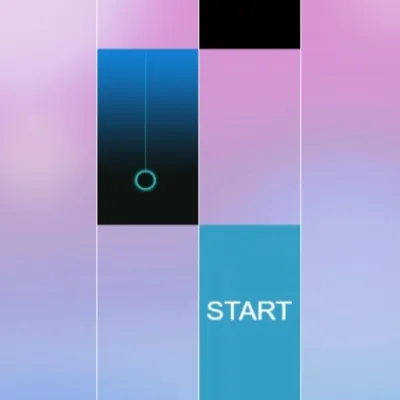
Select Play Now, then the large play button inside the game. The opening song shows four lanes and a START tile. On desktop, the labels under the lanes are F, G, H and J from left to right; click inside the game so it receives keyboard input. You can also use the on-screen tile input. Start the round and follow the tile sequence. Hold the input for longer tiles and release when the note finishes. Missed notes or wrong-lane input can interrupt a run; follow any recovery or result prompt shown by the game.
Highlights
- Four-lane song patterns
- Visible F, G, H and J lane labels on desktop
- Short tiles and longer hold notes
- Song progression and star requirements
Tips & Tricks for Perfect Piano 2
- Learn the left-to-right F, G, H and J layout before starting.
- Keep a long note held while preparing for the next lane.
- Click inside the game before testing the keyboard.
- Use fullscreen if the embedded lanes are too small to target comfortably.
FAQ
- Is Perfect Piano 2 a full piano simulator?
- No. This embedded version is a four-lane rhythm game. Its lane controls are not a full musical keyboard, and this page does not promise recording, sustain pedals or instrument switching.
- Which keyboard keys control the lanes?
- The desktop playfield displays F, G, H and J from left to right. Click inside the game first so keyboard input reaches it.
- How do long notes work?
- Keep the lane input pressed through the longer tile and release when it finishes. A quick tap does not cover the full hold section.
- Are all songs unlocked at the start?
- The song progression uses star requirements. Check the available song list and its unlock conditions rather than assuming every track is immediately playable.
Gaming Blog
- Rhythm Games: Check Audio Delay Before Changing Your Timing
A late sound can come from the audio path rather than a late tap. Compare the same short passage on two outputs before changing how you play.
- Browser Game Has No Sound? Check These Settings
A silent browser game may need a tap before audio starts. Check the game mute button, browser tab and output device before changing settings.
- Free Piano & Rhythm Games: Controls and What to Expect
Compare Piano Music Tiles, Piano Fire and Perfect Piano 2: real controls, song access and practical audio checks before you play.